To the cent
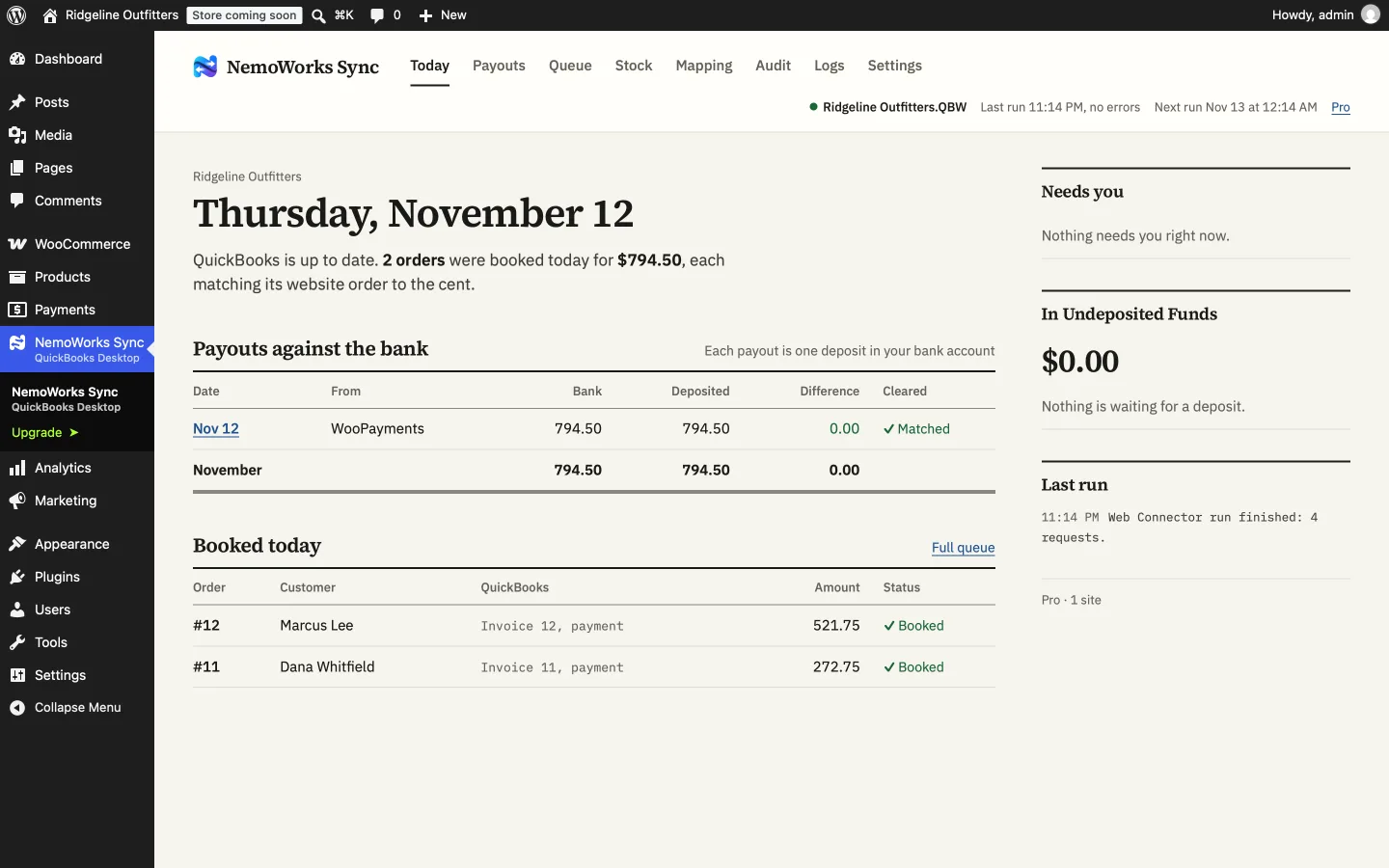
Every invoice equals its order, and every payout deposit equals the bank line. When it cannot make them equal, it stops and says why instead of booking something wrong.
WooCommerce → QuickBooks Desktop
NemoWorks Sync books WooCommerce orders, payments, refunds and payouts into QuickBooks Desktop Pro, Premier and Enterprise, through the Web Connector that comes with QuickBooks.
How an order lands
Coupons, shipping, fees and card fees go on as their own lines. Sales tax is checked before anything is written.
| Ridgeline trail pack × 1 | 229.00 |
|---|---|
| Shipping | 15.50 |
| Sales tax 8.75% | 20.04 |
| Paid | 264.54 |
| Ridgeline trail pack | 229.00 |
|---|---|
| Shipping | 15.50 |
| Sales tax | 20.04 |
| Payment | 264.54 |
The log, in plain words: Invoice 4826 saved, 264.54.
Three promises
Every invoice equals its order, and every payout deposit equals the bank line. When it cannot make them equal, it stops and says why instead of booking something wrong.
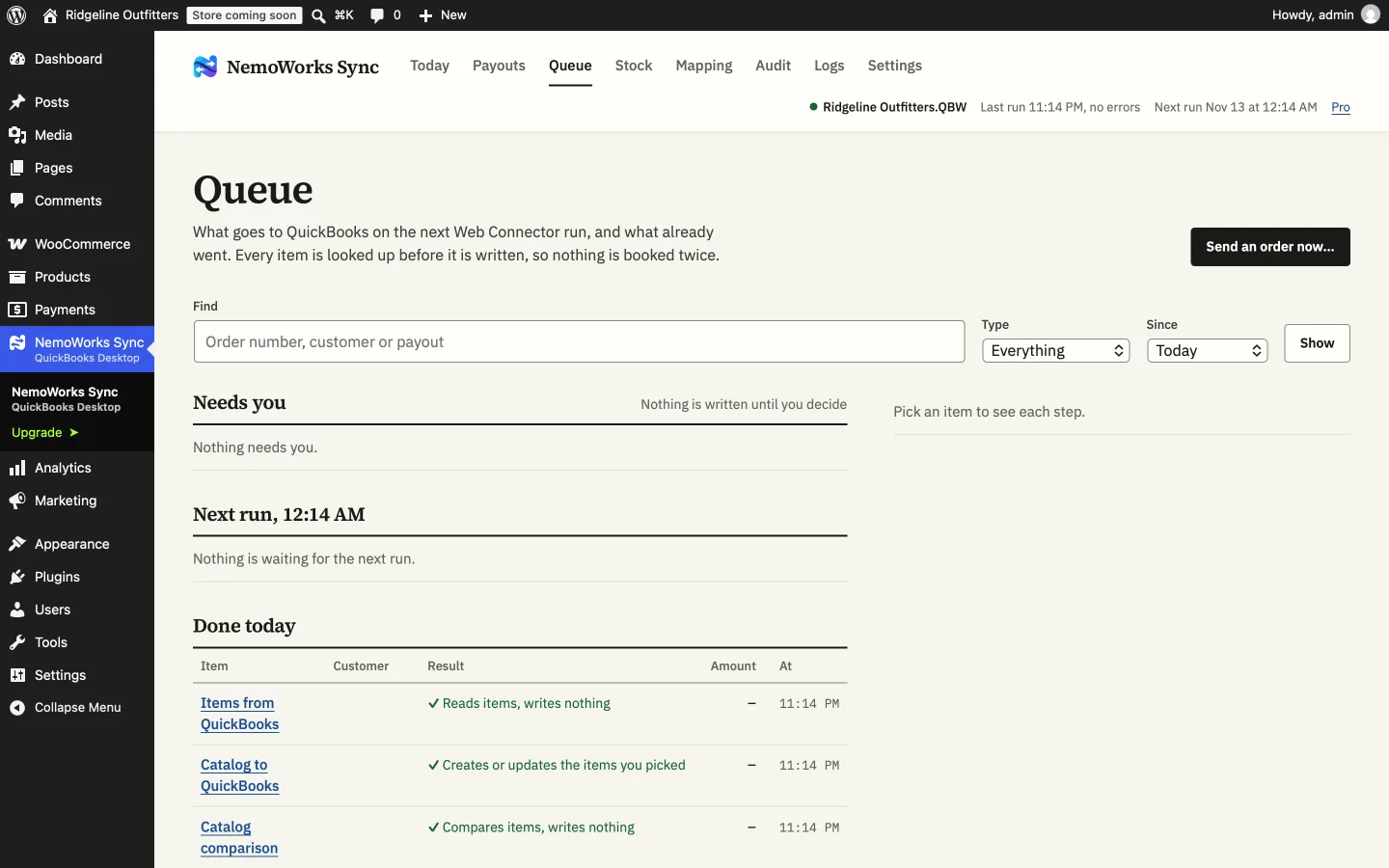
Before writing anything it looks QuickBooks up first, so a run that dies halfway is picked up safely on the next one.
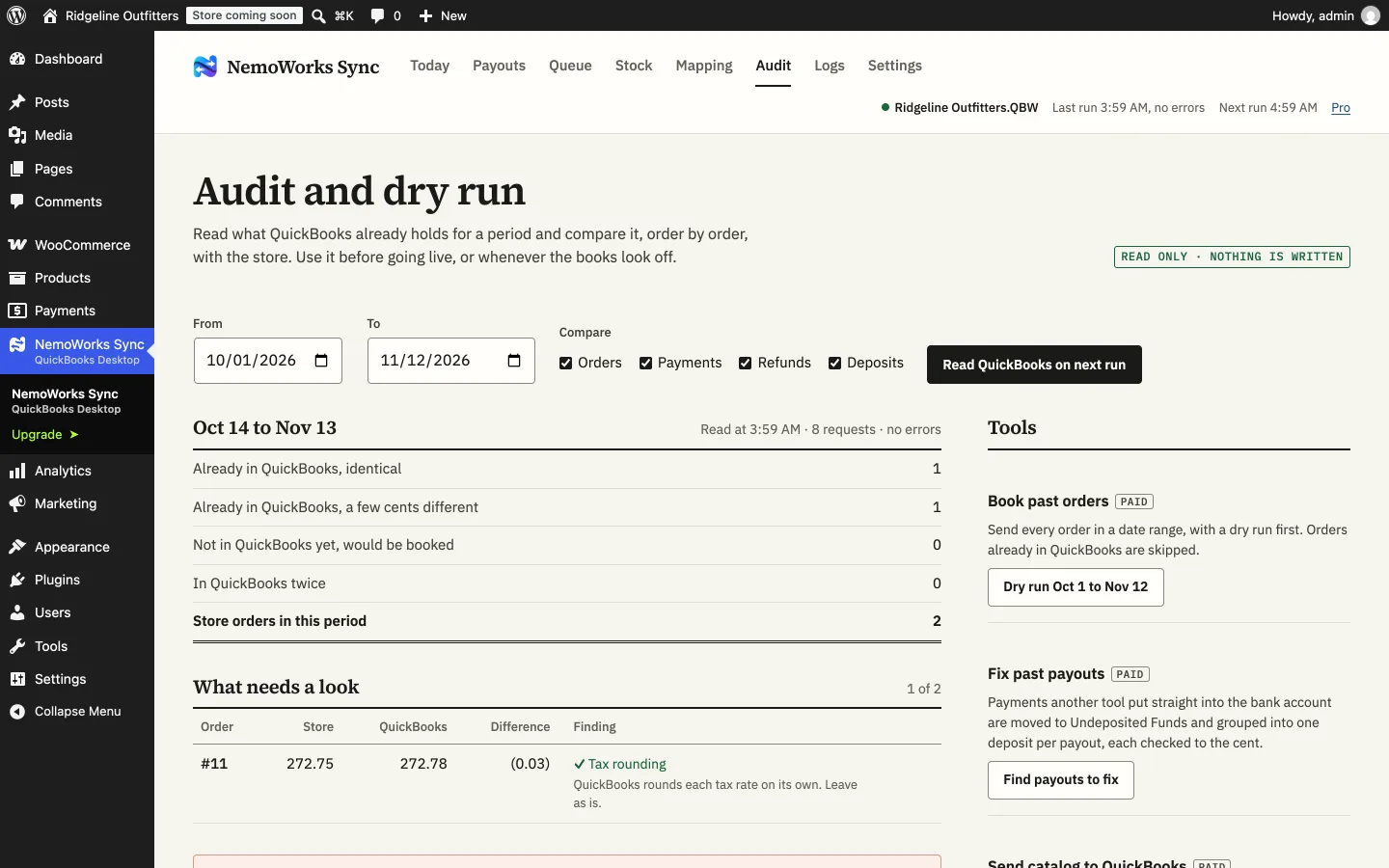
The Audit, the comparisons and every fix tool read first and show you the result. Nothing is written until you confirm.
What it does
QuickBooks rounds tax per rate, so when its total would differ from what the customer paid, a small rounding line keeps the two equal.
See it
How it works
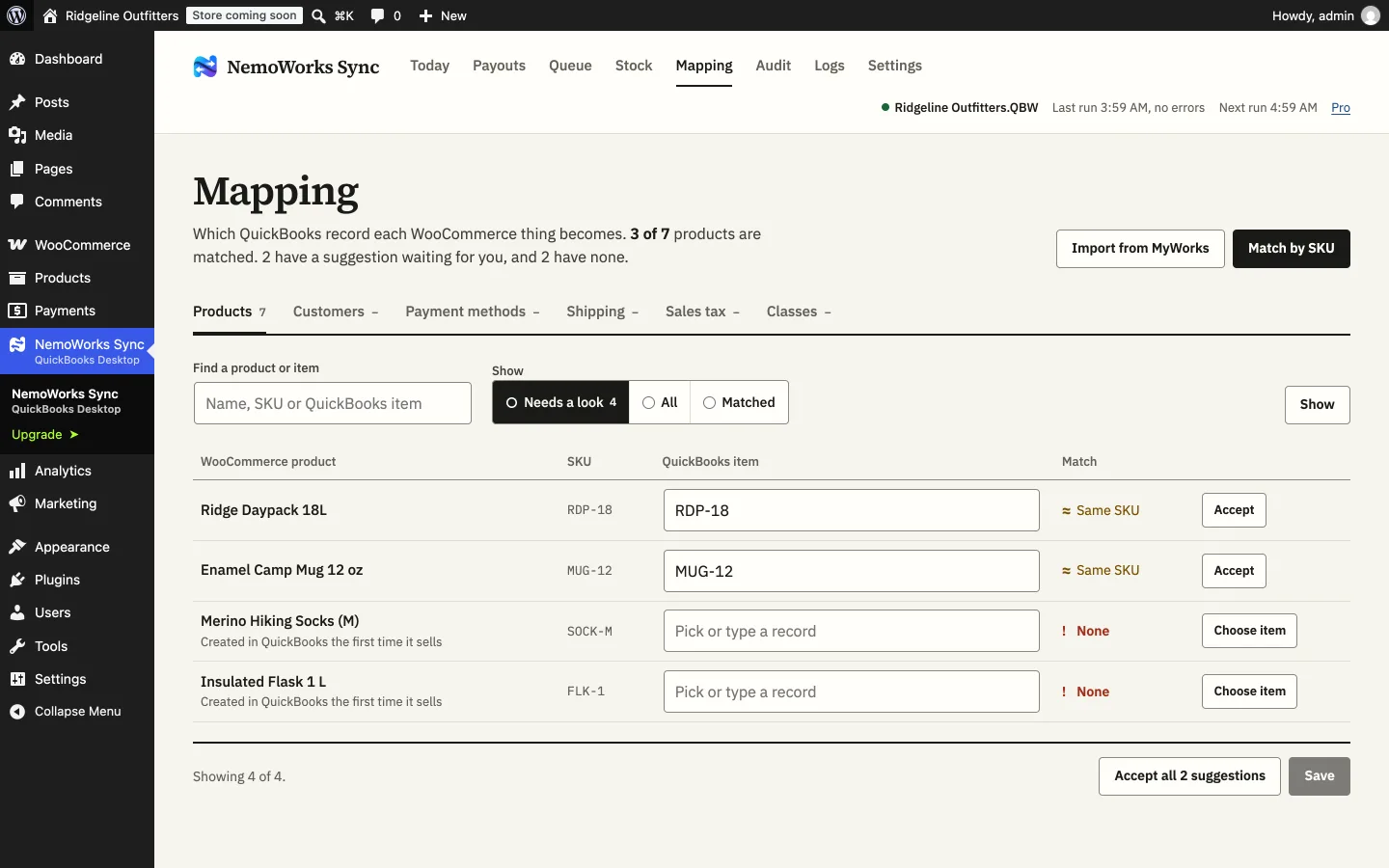
Moving from MyWorks? Product and customer pairs import in one step, and orders it already booked are never booked again. How to move.
Plans
Every paid plan has the same features and email support. They differ only in how many orders a month are sent automatically.
150 orders a month, sent automatically
$29 a month
$348 billed yearly, saves 26%
$39 a month
billed monthly
500 orders a month, sent automatically
$59 a month
$708 billed yearly, saves 14%
$69 a month
billed monthly
1,000 orders a month, sent automatically
$99 a month
$1,188 billed yearly, saves 17%
$119 a month
billed monthly
No order limit, sent automatically
$119 a month
$1,428 billed yearly, saves 14%
$139 a month
billed monthly
25 orders a month, sent to QuickBooks by hand from the Queue, with the same care: sales tax, bundles, groups, Enterprise sites, the Audit and MyWorks import. Coming to WordPress.org. Everything you set up carries over to a paid plan.
Prices in US dollars for one store. Sales tax or VAT is added at checkout where it applies. 14-day refunds. When a month’s orders are used up, automatic sending pauses until the 1st; you can still send orders by hand from the Queue, or upgrade to carry on (how orders are counted). Checkout and billing are handled by Freemius.
Free and paid
| Feature | Free | Paid plans |
|---|---|---|
| Orders, payments and refunds to the cent | Sent by hand, 25 a month | Sent automatically |
| Sales tax modes, bundles, groups, Enterprise sites | Yes | Yes |
| Audit and MyWorks import | Yes | Yes |
| Payout deposits equal to the bank line | No | Yes |
| Stock and prices from QuickBooks | No | Yes |
| Send the catalog either way | No | Yes |
| Book past orders, fix past payouts | No | Yes |
| Alerts and daily summary | No | Yes |
| Email support | No | Yes |
What you need
WooCommerce 8.5 or newer (HPOS supported), WordPress 6.5 or newer, PHP 8.1 or newer.
QuickBooks Desktop Pro, Premier or Enterprise (US), 2014 or newer, with the QuickBooks Web Connector.
On the store: the Web Connector only talks to https addresses.
Questions
Not necessarily. When you allow the plugin to log in automatically (QuickBooks asks the first time the connector runs), the Web Connector can open the company file on its own, as long as no other company file is open in QuickBooks at that moment. Turn on auto-run in the Web Connector to have it run on a schedule.
No. It is made for QuickBooks Desktop only.
Each order is looked up by its number before anything is written. An order already in QuickBooks is matched, not booked again. Run the Audit first to see which orders are already there.
Payments wait in Undeposited Funds (or the account you pick), so each gateway payout can become one deposit that matches your bank statement. PayPal can be recorded in its own bank account instead.
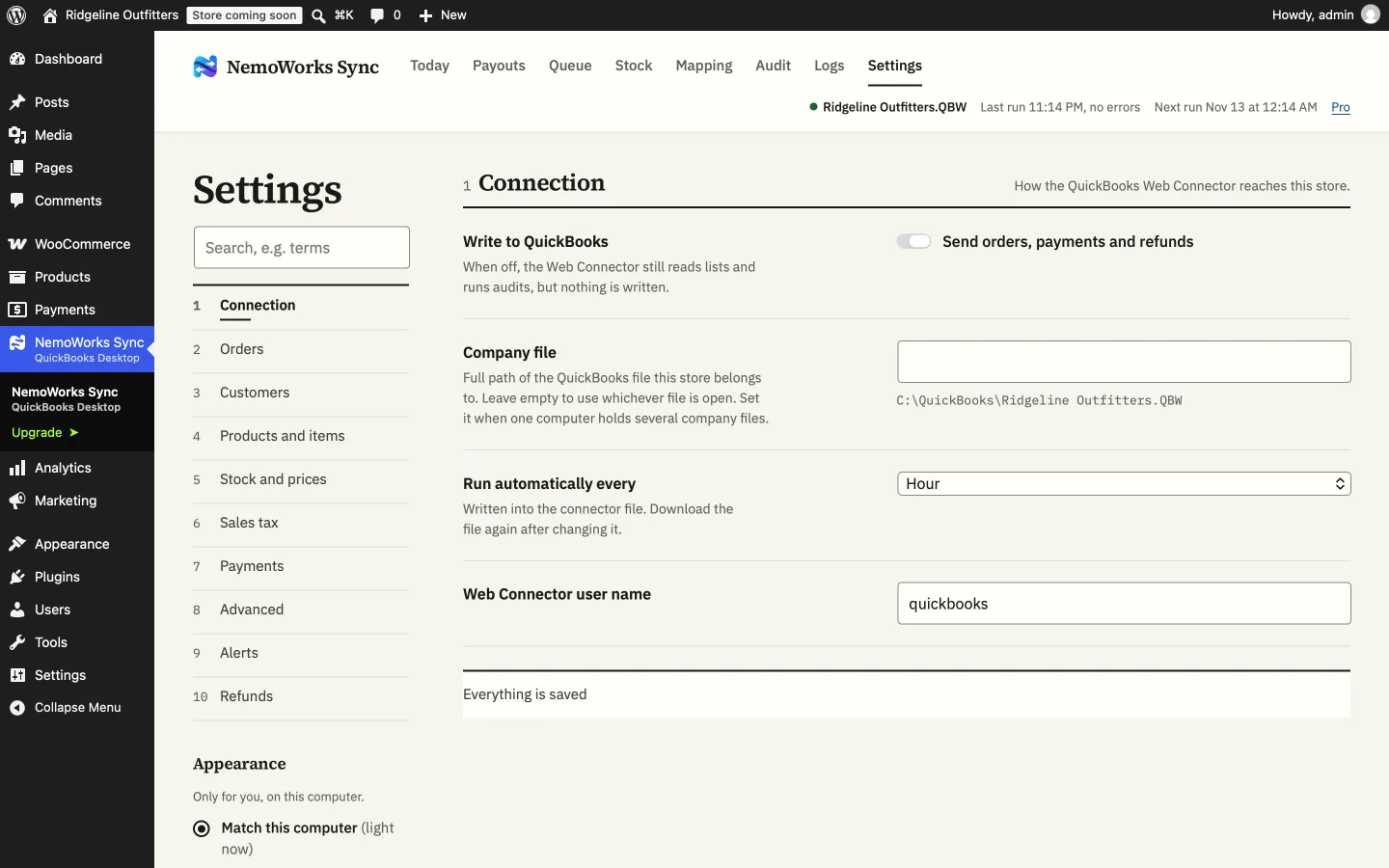
Yes. Switch off Write to QuickBooks in Settings. Nothing new is written, except past-payout fixes you already approved; reading (the Audit, lists, comparisons) still works.
Yes, to the NemoWorks service, our server that does the booking. Your store sends it the orders, refunds and products it syncs (including the buyer’s name, email and addresses), and the service writes them to your QuickBooks through your own Web Connector. Order details are encrypted with a key for your store and deleted 60 days after they are booked. Your Web Connector password, your QuickBooks file and card numbers never reach us. Details are in the privacy policy.

Start with the free version, or let a paid plan send every order on its own.