 Nemo Works
Set up in an afternoon
A setup guide that reads your QuickBooks lists first and previews one of your own orders.
Demo
Pick your store and books on the pricing page, take the tour below, or ask us to walk you through it with your own setup in mind.
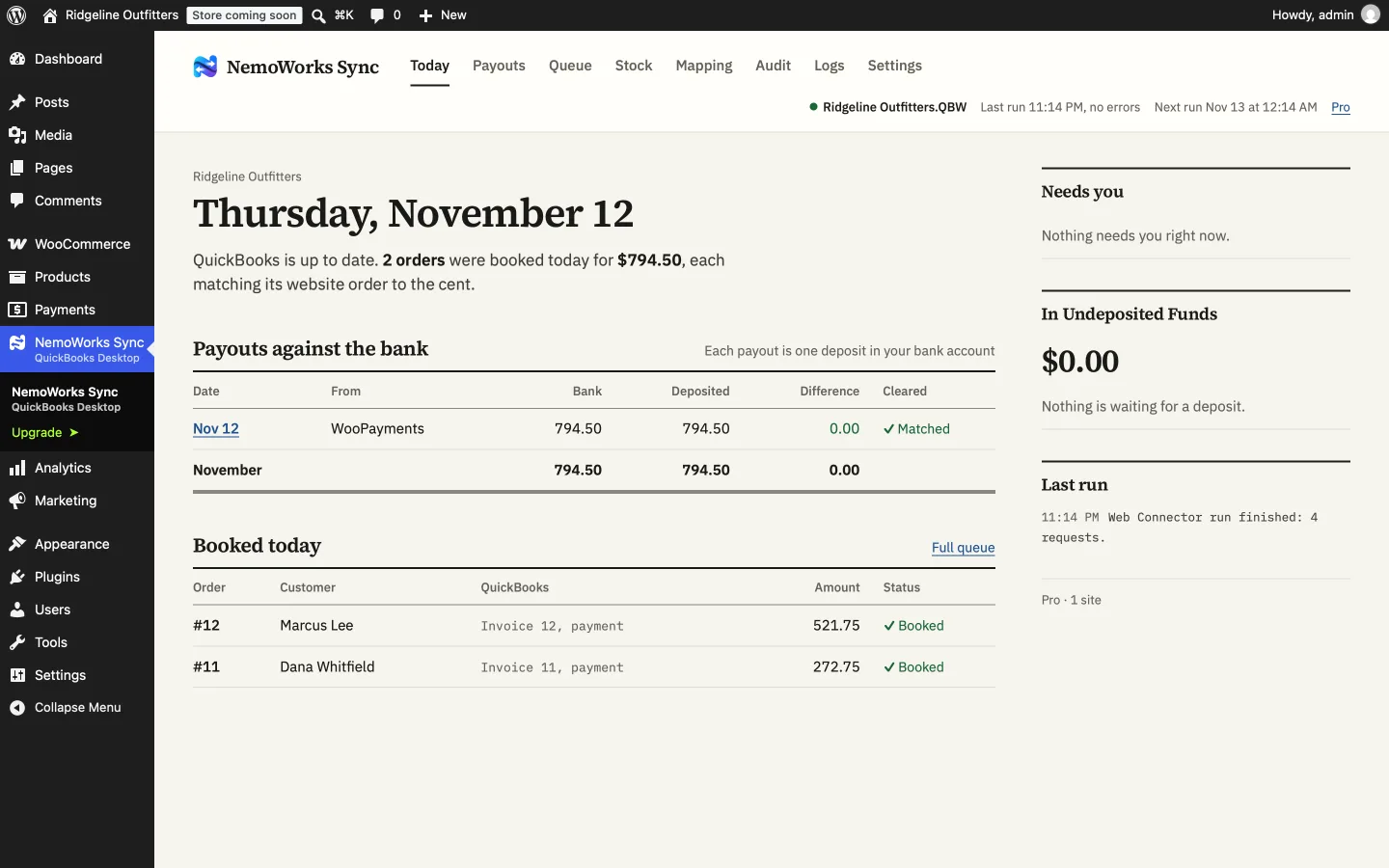
Until it’s ready, the tour shows each screen with what it does.
Start the tourTell us your store, your QuickBooks edition and how orders reach QuickBooks today. We’ll answer your questions and set up a walkthrough.
Video walkthrough · coming soon
The tour
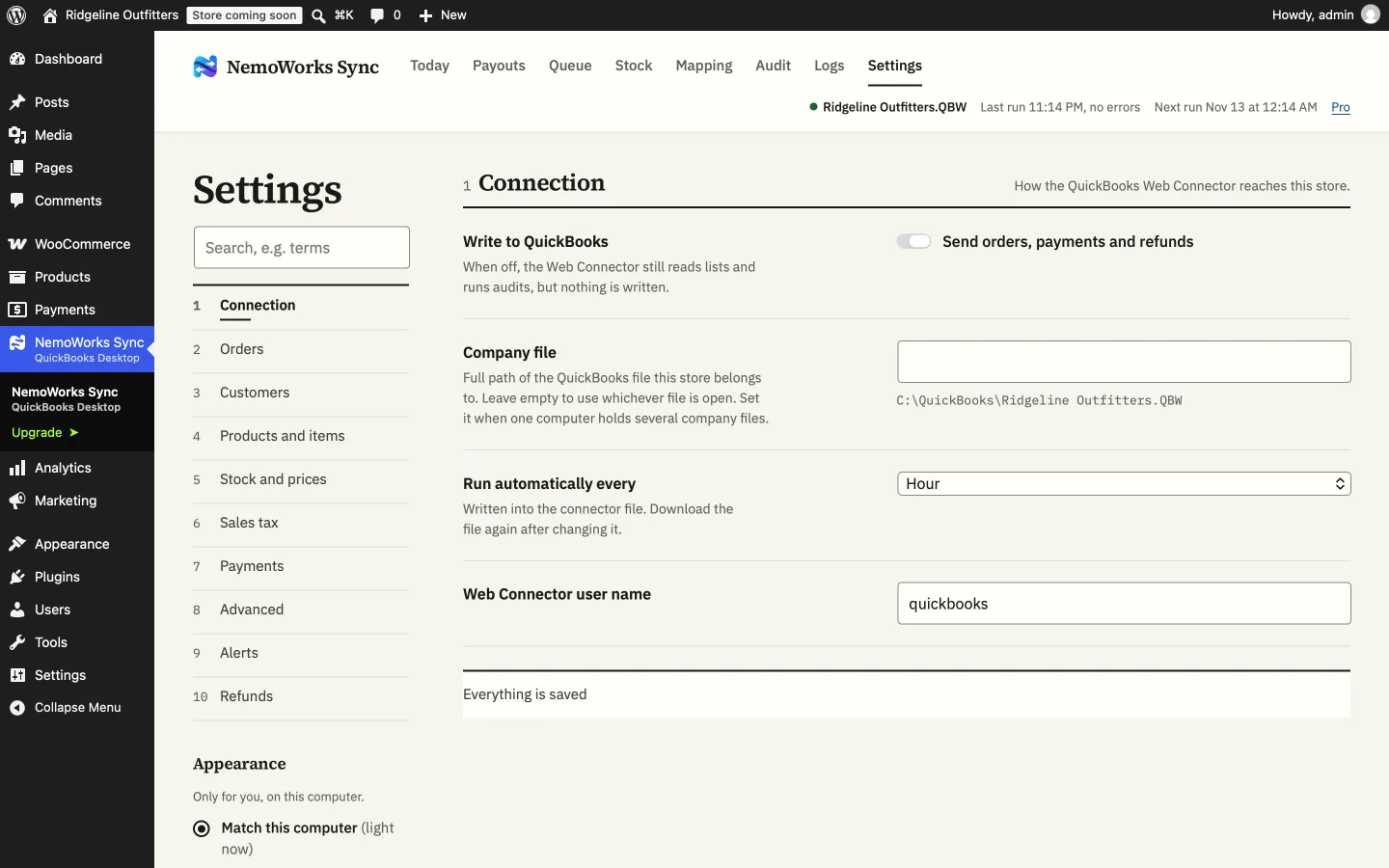
Settings, grouped the way a bookkeeper thinks: which orders to book and when, how invoices are numbered, which accounts payments land in, how tax is written. Every option says what it does in a sentence.
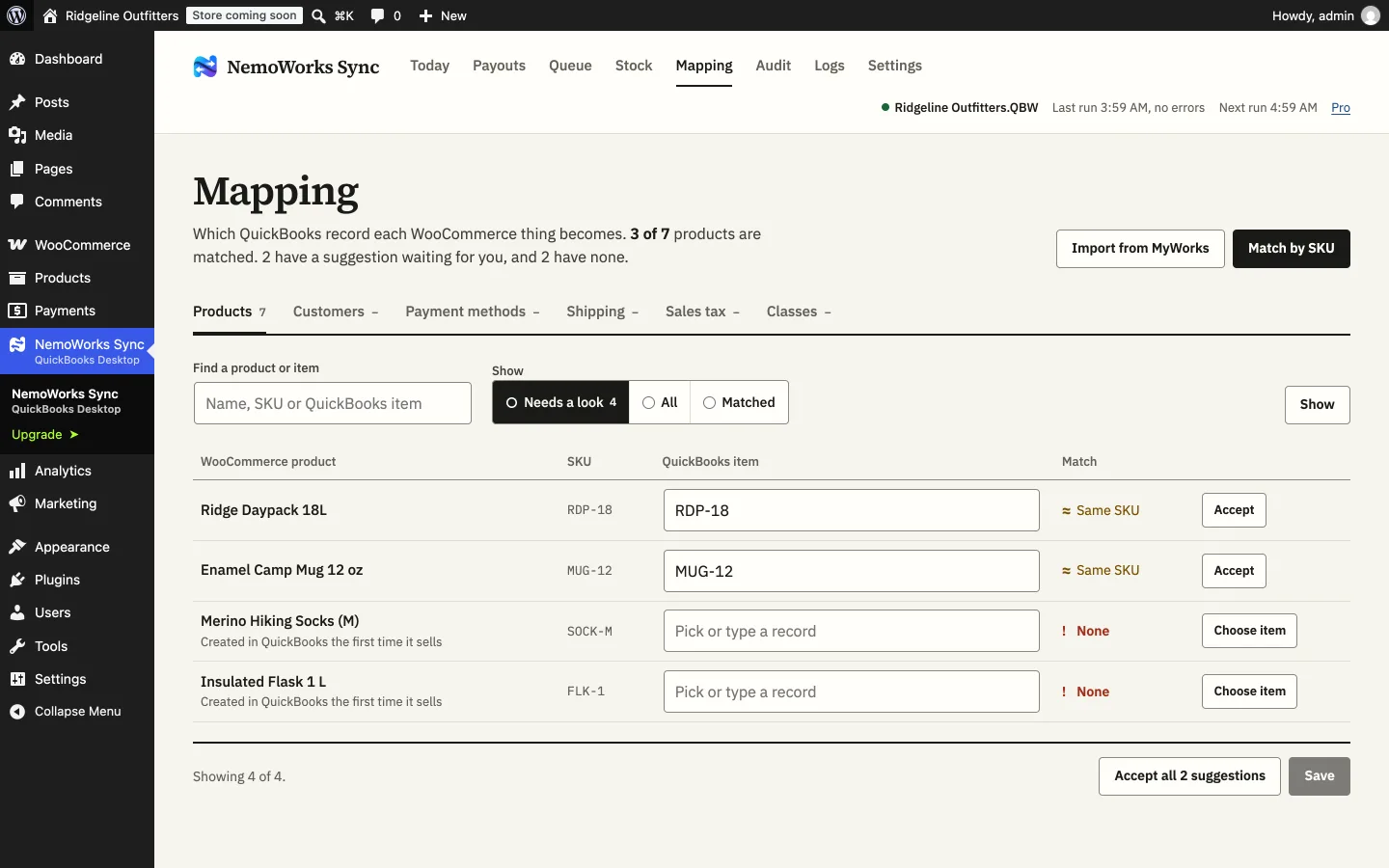
Products are matched to QuickBooks items by SKU, with suggestions to accept where the names are close. Anything left over is yours to pair, or a new item is made when the first order needs it.
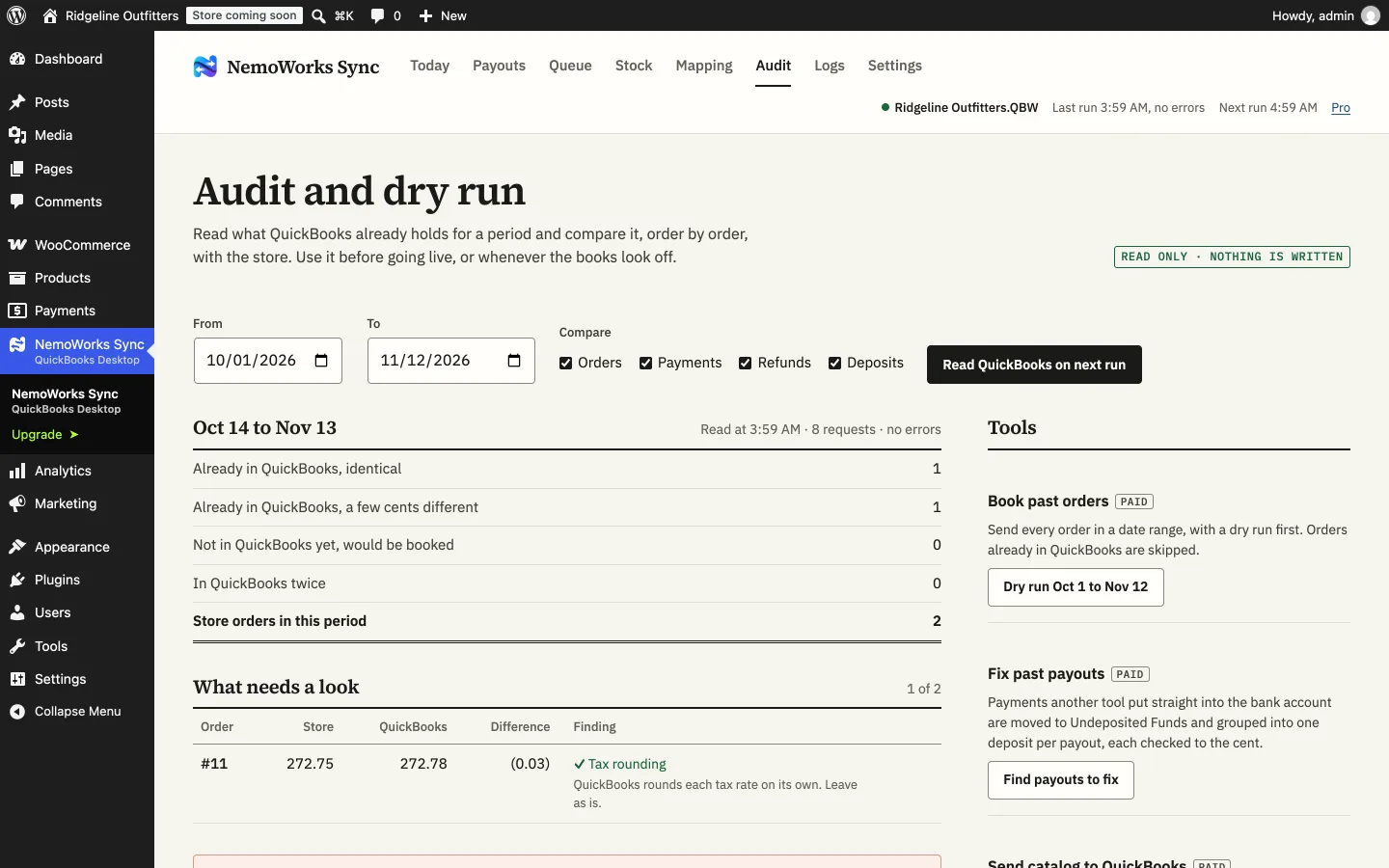
The Audit reads your books and compares them with the store: identical orders, orders a few cents apart and why, and orders that would be booked. Nothing is written.
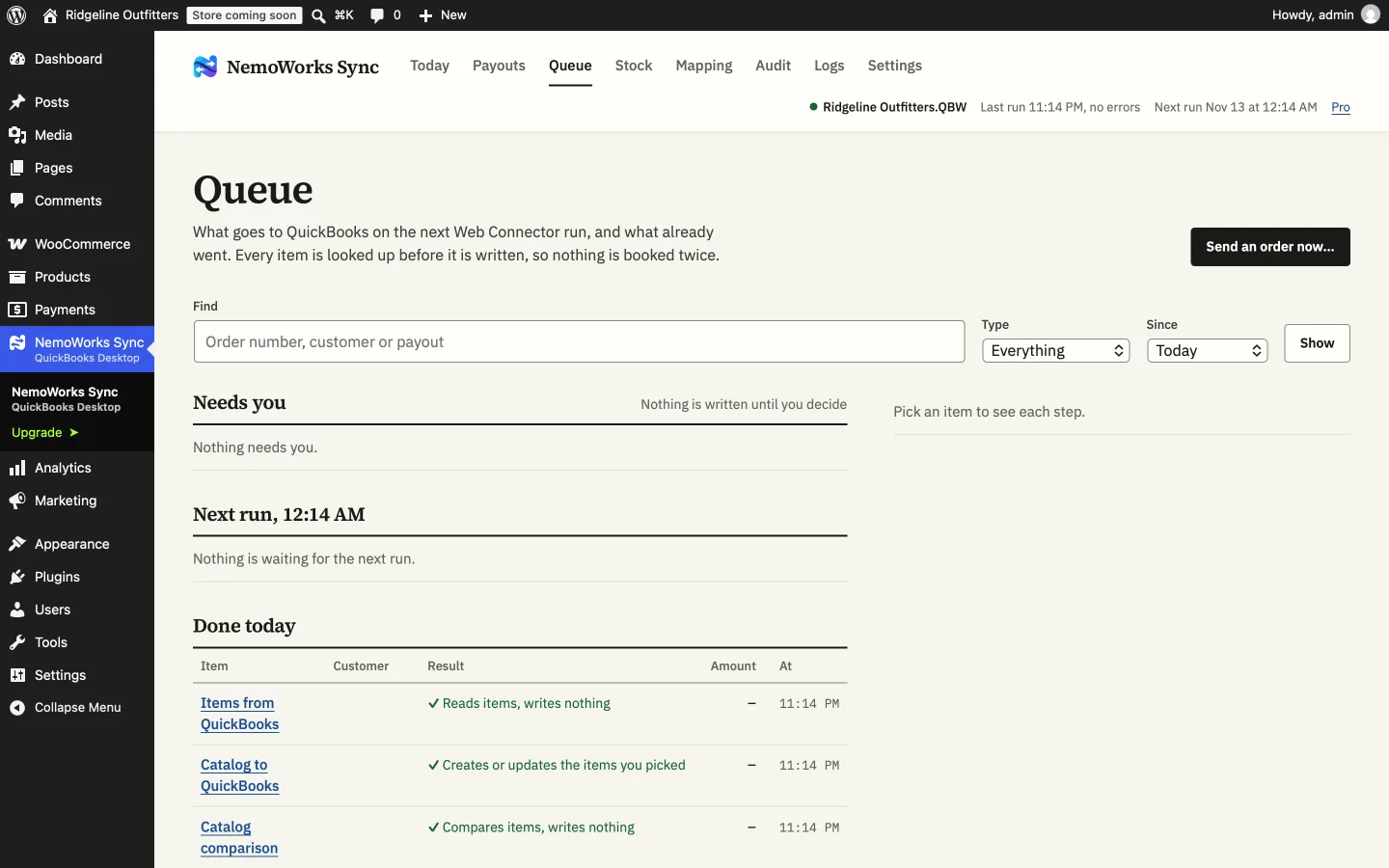
The Queue lists every order and refund with what happened to it. When one stops, the message says why and what to do, and Retry looks it up again from the start.
Today shows what was booked, what needs you, and each payout against the bank, to the cent. On paid plans an email can say the same every morning.
Features
A setup guide that reads your QuickBooks lists first and previews one of your own orders.
Deposits equal the bank, invoices equal the orders, and anything that can’t match is flagged the day it happens.
Orders you typed in are found, not repeated; past payouts are fixed only after you approve each one.
Today, the Queue and the log say what was booked, to which record, for how much.
Set it up once, check a dry run against your books, and stop typing orders in. Every paid plan has every feature.

FAQs
Yes: 25 orders a month, sent by hand. It is awaiting review for WordPress.org; what you set up carries over to a paid plan. Paid plans can be refunded within 14 days.
Your store, your QuickBooks file and how orders reach it today: what NemoWorks Sync would do with them, and what to check before going live.
Yes. The Audit and the dry run read and compare without writing, and Write to QuickBooks stays off until you switch it on. You can also point it at a copy of your company file first.