 Nemo Works
WooCommerce + QuickBooks Desktop
WordPress plugin. Orders, payments, refunds and payout deposits, booked to the cent.
QuickBooks Sync
Invoices, payments, credit memos and payout deposits, with your customers, items, tax items and accounts. Available now for WooCommerce and QuickBooks Desktop; QuickBooks Online and Shopify are next.

Choose your pairing
WordPress plugin. Orders, payments, refunds and payout deposits, booked to the cent.
WordPress plugin. The same rules as our live sync, for QuickBooks Online.
Shopify app. The same rules as our live sync, for QuickBooks Online.
Shopify app. The same rules as our live sync, for QuickBooks Desktop.
How it works
Install the plugin and connect your books. For QuickBooks Desktop that is the Web Connector that comes with QuickBooks, and a password.
It reads your accounts, items and tax items first. You pick how orders are written, with a preview of one of your own orders.
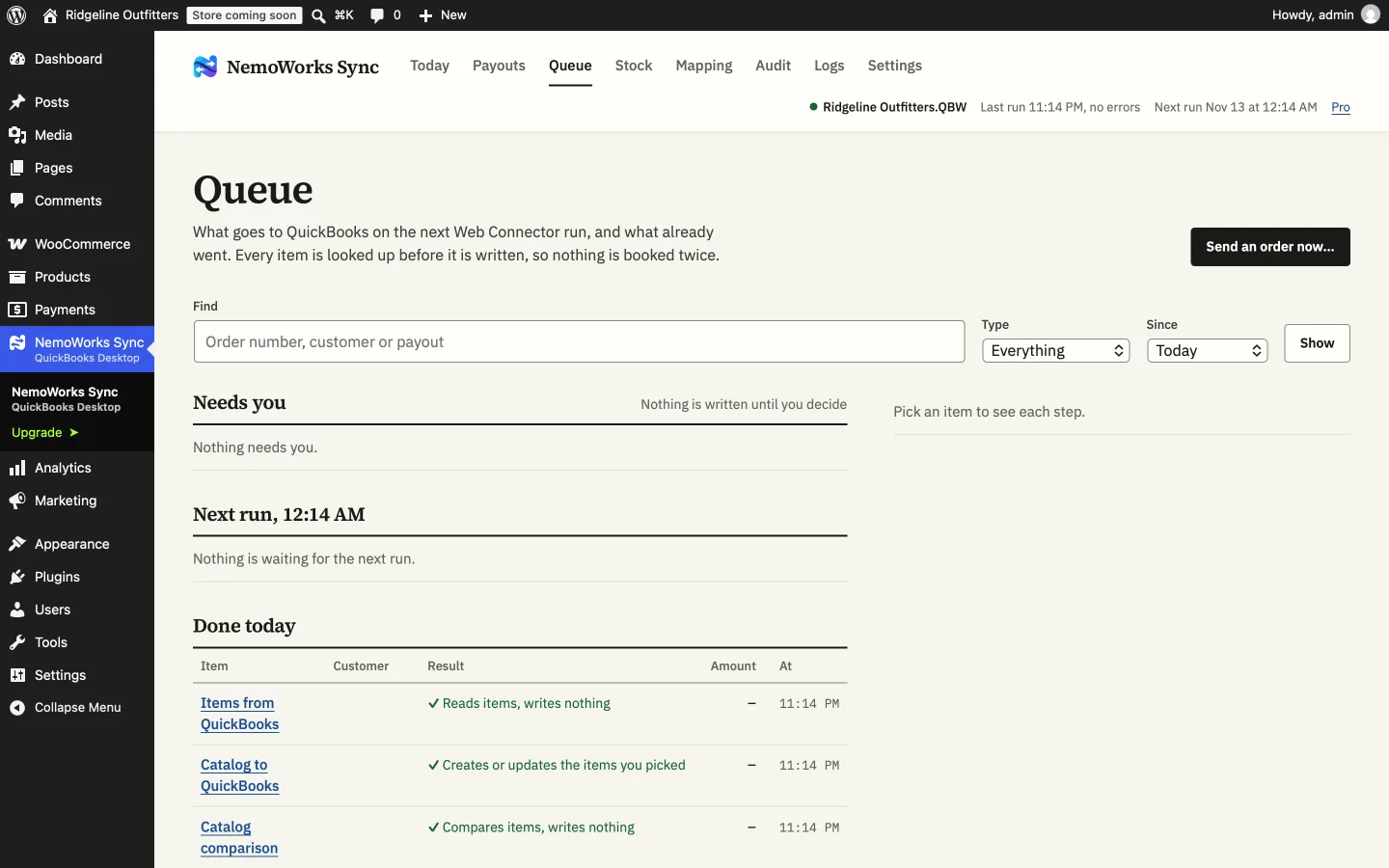
A dry run compares the last 30 days with your books. Then every new order from your start date is booked, on the schedule you set.
What it does
An invoice and a payment for each order, with the customer found or created, products matched to your items, and shipping, coupons and fees on their own lines.
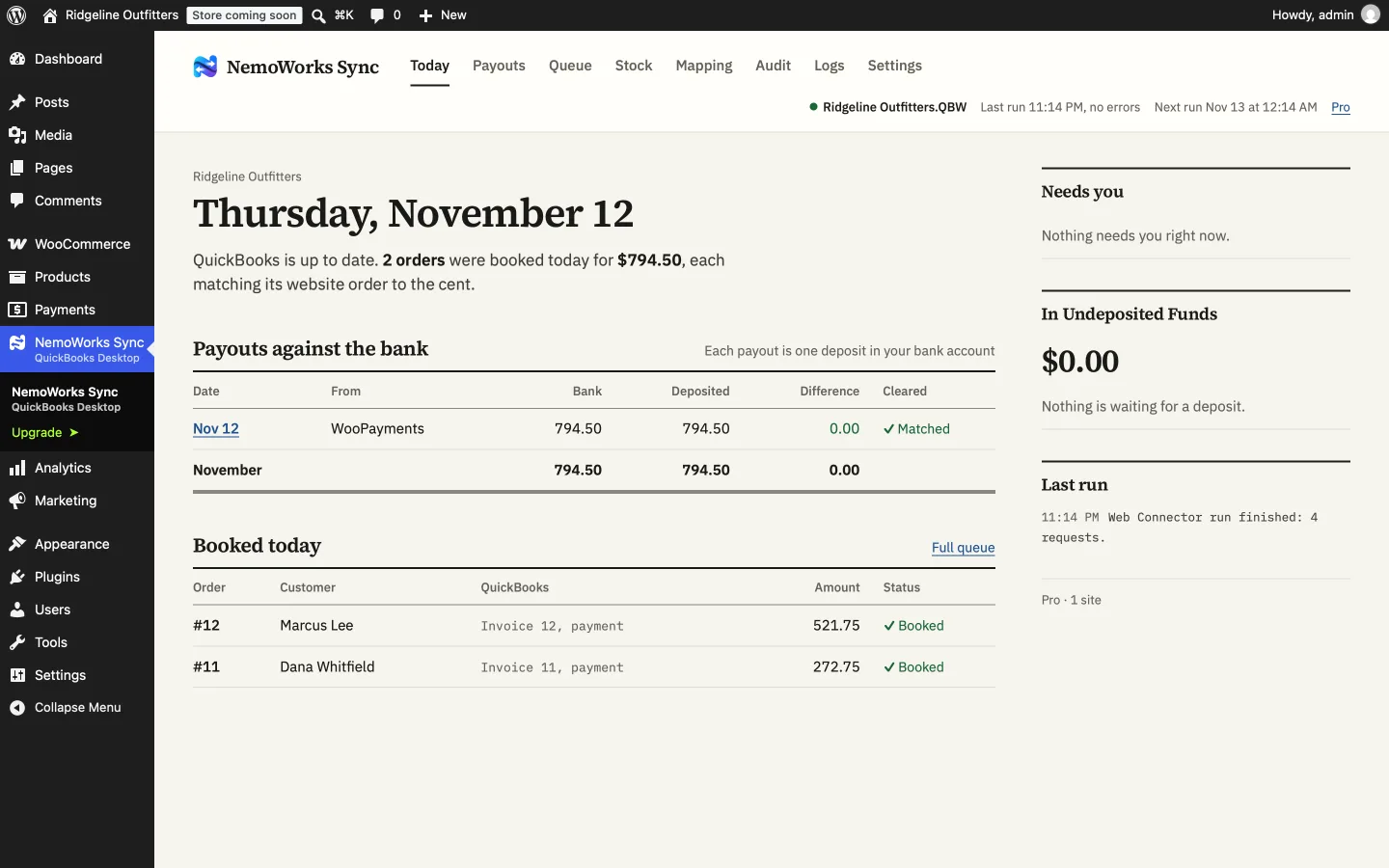
Payments wait in Undeposited Funds. When WooPayments or Stripe pays out, the payments, card fees and refunds in that payout become one deposit, the same amount your bank shows.
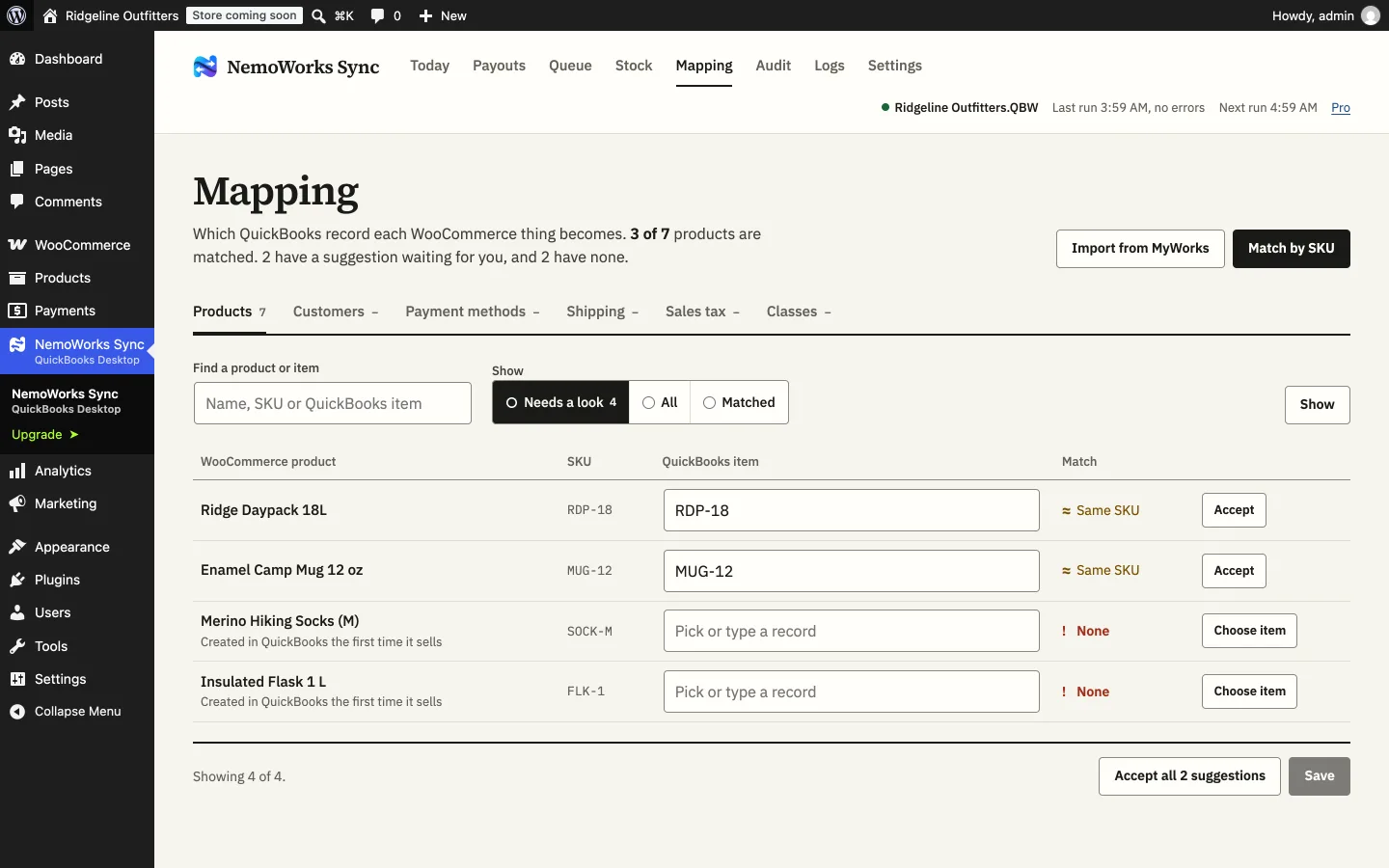
Pair store products with QuickBooks items by SKU, by hand, or with a fallback item. Keep stock and prices in step with QuickBooks, and send new products across after you review them.
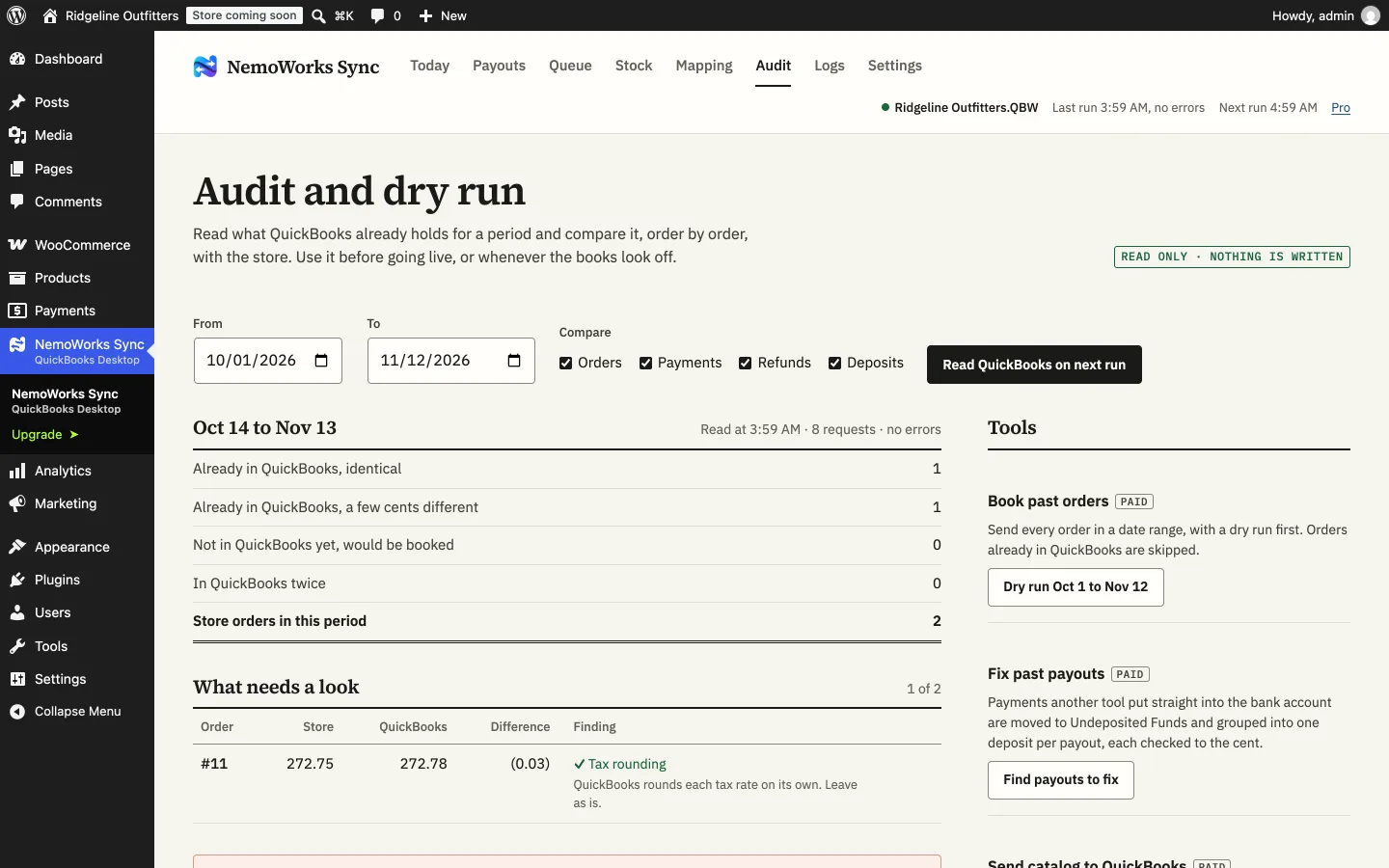
The Audit reads a period from your books and compares it with the store: what is already there, what would be booked, and any difference down to the cent, with the reason.
What lands in QuickBooks
| In the store | In QuickBooks |
|---|---|
| An order is paid (or reaches the statuses you choose) | An invoice and a payment, the payment waiting in Undeposited Funds or the account you pick |
| A refund | A credit memo and a refund against it |
| A WooPayments or Stripe payout | One deposit with its payments, card fees and refunds, equal to the bank line |
| A new buyer | A customer, found by name or company first, or created |
| A product sold for the first time | Paired with its item by SKU; or a new item, a fallback item, or a stop to ask you (your choice) |
| Sales tax on the order | One tax item or group, a tax item per store rate, or the exact amount as one line |
| Stock changes in QuickBooks | Stock (and prices, if you want) updated in the store |
Desktop and Online
Questions
Not necessarily. If you allow access when QuickBooks first asks, the Web Connector opens the company file on its own, as long as no other company file is open at that moment.
Yes, including inventory sites and bins. Pro and Premier work too; all US editions, 2014 or newer.
Each order is looked up first. One already in QuickBooks with the same total is used, not booked again. Run the Audit before going live to see which orders are there.
It is being built now. Leave your email on its page to hear when it is.