 Nemo Works
Books that match the bank
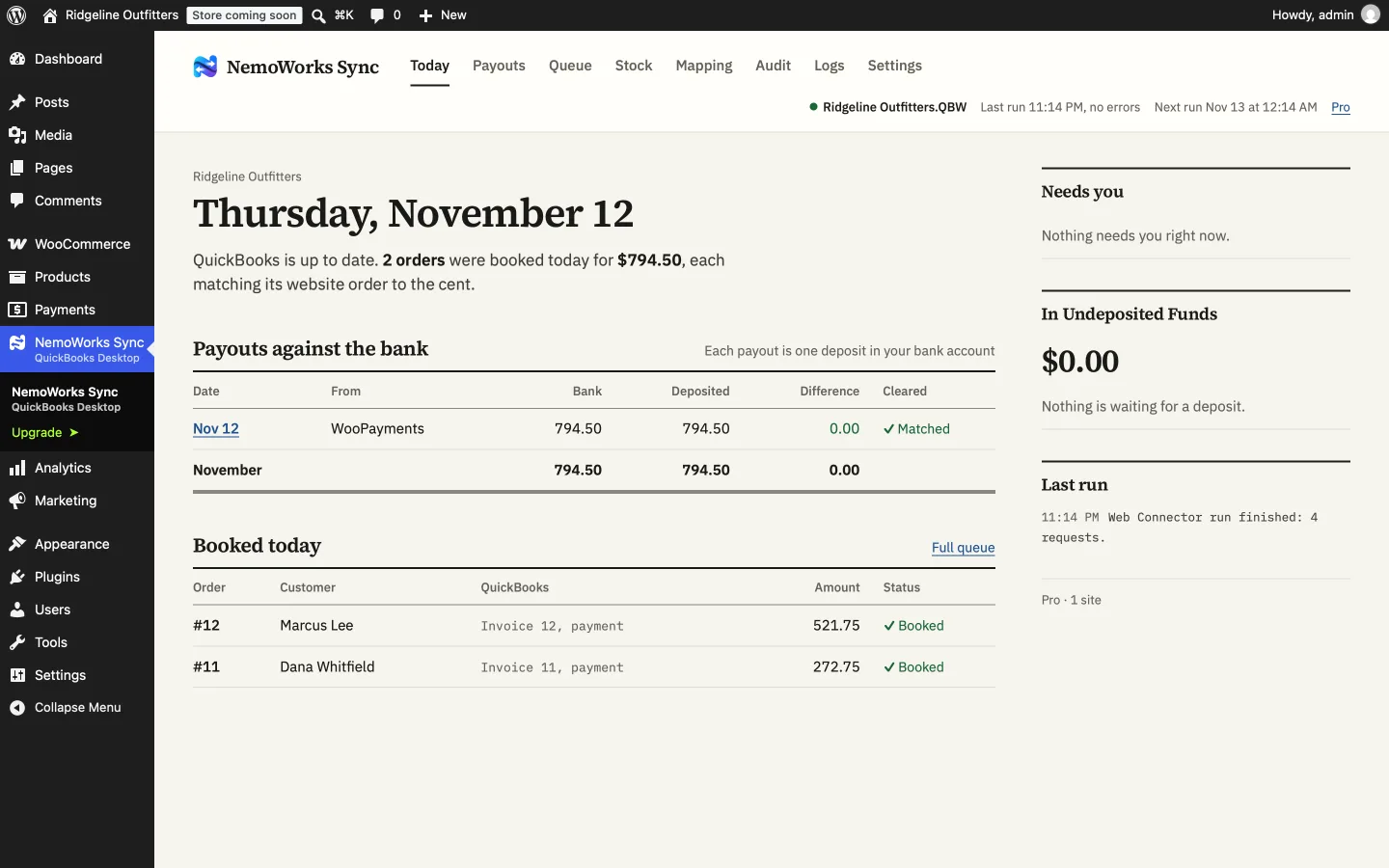
Every invoice equals its order, and every payout lands as one deposit equal to the bank line.
Ecommerce accounting, automated
NemoWorks Sync books every order, payment, refund and payout from your online store into your accounting. It looks each one up first, so nothing lands twice, and when the numbers can’t match it stops and tells you why.

Features
Less typing, fewer surprises at month end, and books you can reconcile in minutes.
Every invoice equals its order, and every payout lands as one deposit equal to the bank line.
Each order is looked up first, so orders you already typed in, or that a run left half done, are found, not repeated.
An audit and a dry run compare your books with the store before anything changes.
A log you can read, a help center for every case, and email support from the people who build it.
Pricing
For WooCommerce and QuickBooks Desktop. Every paid plan includes every feature.
150 orders a month, sent automatically
$29 a month
$348 billed yearly, saves 26%
$39 a month
billed monthly
500 orders a month, sent automatically
$59 a month
$708 billed yearly, saves 14%
$69 a month
billed monthly
1,000 orders a month, sent automatically
$99 a month
$1,188 billed yearly, saves 17%
$119 a month
billed monthly
No order limit, sent automatically
$119 a month
$1,428 billed yearly, saves 14%
$139 a month
billed monthly
25 orders a month, sent to QuickBooks by hand from the Queue, with the same care: sales tax, bundles, groups, Enterprise sites, the Audit and MyWorks import. Coming to WordPress.org. Everything you set up carries over to a paid plan.
Integrations
One available now, more on the way.
WordPress plugin. Orders, payments, refunds and payout deposits, booked to the cent.
WordPress plugin. The same rules as our live sync, for QuickBooks Online.
WordPress plugin. The same rules as our live sync, for Xero.
Shopify app. The same rules as our live sync, for QuickBooks Online.
Shopify app. The same rules as our live sync, for QuickBooks Desktop.
Shopify app. The same rules as our live sync, for Xero.
Customer stories
We’re bringing our first stores on board now. Their stories will go here, in their own words, once they’ve run a few months of books through NemoWorks Sync.
Set it up once, check a dry run against your books, and stop typing orders in. Every paid plan has every feature.

FAQs
Yes: 25 orders a month, sent by hand from the Queue, with the same care. It is awaiting review for WordPress.org; everything you set up in it carries over to a paid plan.
Email support with every paid plan, from the people who build NemoWorks Sync, at support@nemoworks.dev. You can also ask for a walkthrough.
Install the plugin, connect the QuickBooks Web Connector, let it read your accounts and items, choose how orders are written, and check a dry run before going live. The setup guide.
With QuickBooks Desktop, every time the Web Connector runs: every 15 or 30 minutes, hourly, every 4 or 12 hours, daily, or only when you click Update Selected.
Today: WooCommerce with QuickBooks Desktop Pro, Premier and Enterprise (US). WooCommerce with QuickBooks Online and Xero, and Shopify with all three, are on the way. See integrations.