 Nemo Works
An audit of a period you choose
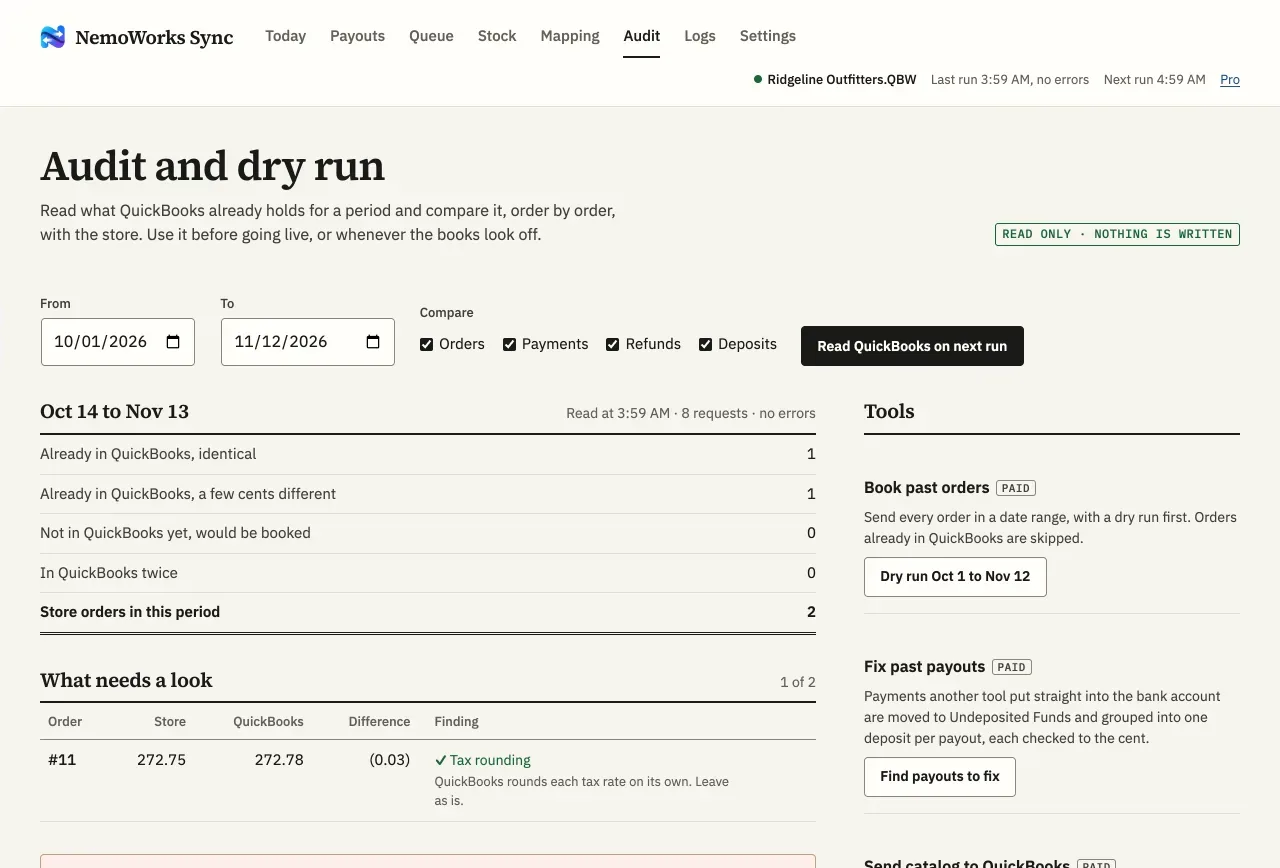
It reads QuickBooks and sorts each store order: already there, a few cents apart and why, or not there yet. Reading only.
For bookkeepers
You keep the books for a WooCommerce store on QuickBooks Desktop. NemoWorks Sync is made so you can check it before it writes anything, see why when it stops, and tick each payout off against the bank in one line.

Before it goes live
Writing to QuickBooks starts switched off. Everything below works while it is.
It reads QuickBooks and sorts each store order: already there, a few cents apart and why, or not there yet. Reading only.
The setup guide shows the invoice one of the store’s own orders would become, line by line, before the switch goes on.
Before writing, each order is looked up. An invoice already in QuickBooks for it is used when its total matches; when it doesn’t, the order stops with both amounts.
In the books
Every day after
An order that can’t equal the store total isn’t written. The Queue shows both amounts and what to change; Retry looks it up again from the start.
“Invoice 4826 saved, 264.54.” Each run says what was looked up and written, so you can trace any entry back to its order.
On paid plans, an email when an order, refund or payout stops, and a short summary of yesterday each morning, to the address you set in Settings, Alerts.
First-run check
After the first live run, compare one booked order and the first payout with QuickBooks, line by line: customer, items, tax, card fee, payment account, and the deposit against the bank. It prints without the site around it.
Questions
Not on its own. It adds customers, items, invoices, payments, credit memos, refunds and deposits. Two tools change existing records, both only after you review them: Fix past payouts (paid plans) moves payments booked straight into the bank to Undeposited Funds and deposits them per payout, for the payouts you tick; and sending the catalog to QuickBooks updates the items you pick.
Yes: switch off Write to QuickBooks in Settings. The Audit, lists and comparisons keep working.
No. It works through the QuickBooks Web Connector on the computer that holds the company file. The Web Connector password and the company file never reach the NemoWorks service. Privacy policy.
Only orders from the start date you set are booked. On paid plans, Book past orders adds earlier ones after the Audit shows which QuickBooks doesn’t have.
Each plan covers one store. If you keep the books for several, write to us: we’d like to hear how you work.
Set it up once, check a dry run against your books, and stop typing orders in. Every paid plan has every feature.